☁ Azure Startup Credits Visualizer
Visualize your Microsoft for Startups credit usage — because the M4S portal won't do it for you.
Upload your cost export CSV and get a beautiful interactive report instantly.
100% in-browser — your data never leaves your machine
Charts, heatmaps & trend analysis
Download as self-contained HTML
What the report looks like
Upload your CSV and get an interactive dashboard with charts, heatmaps, trends, and cost breakdowns.
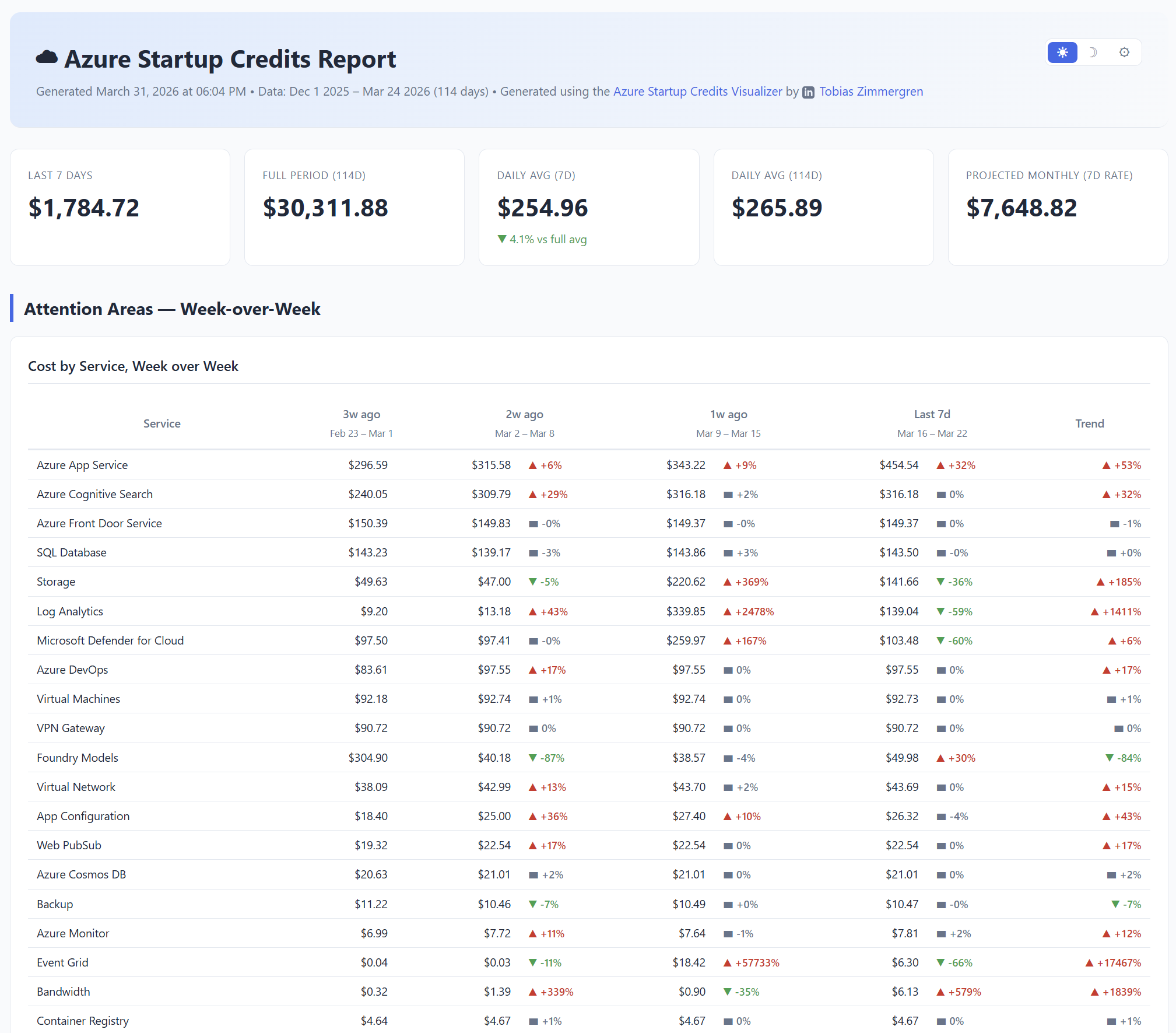
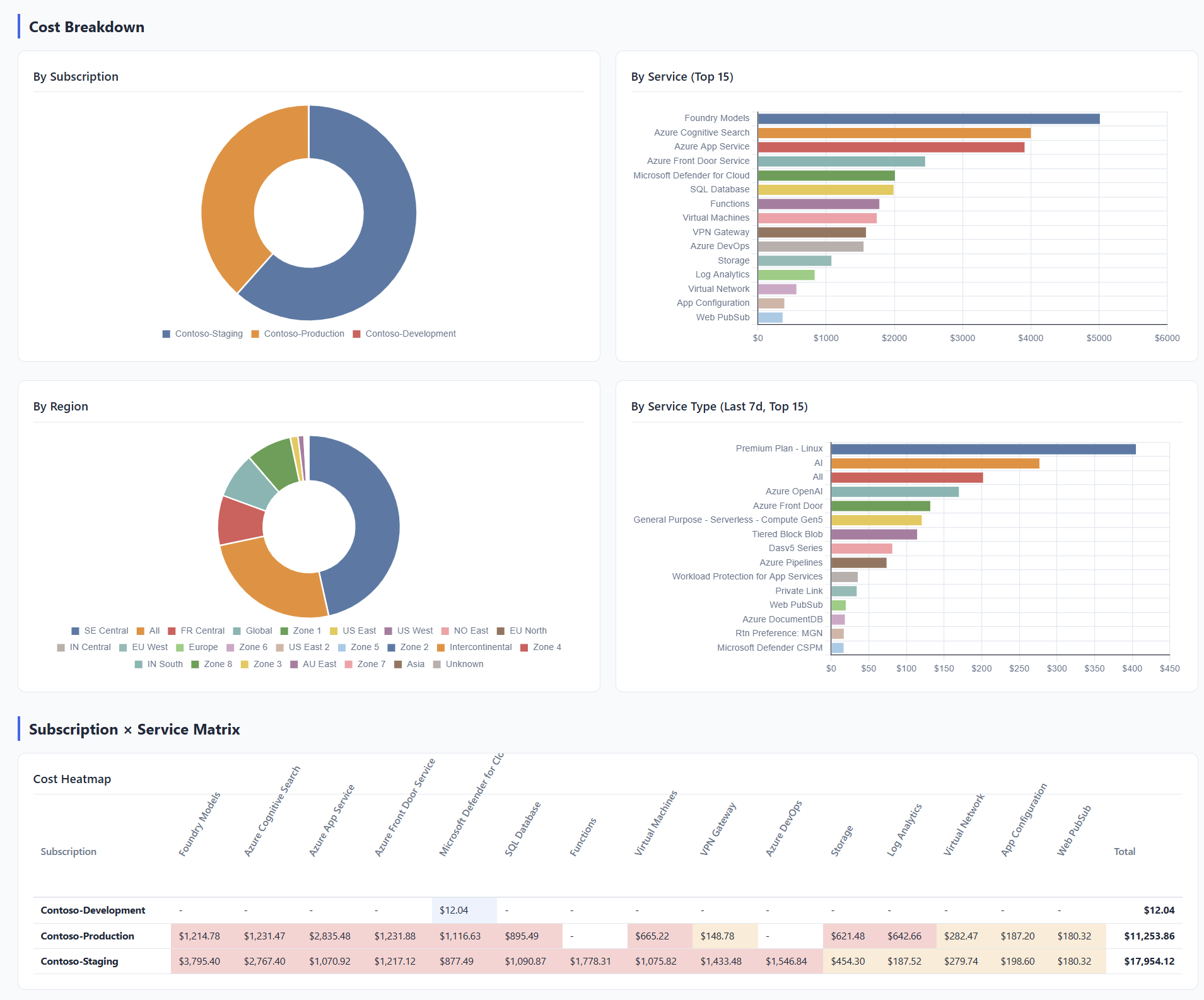
Drop CSV files here
or click to browse — upload one or more Microsoft for Startups cost export CSVs
Parsing CSV files...
How to export your CSV
Go to the Microsoft for Startups portal → click your credit benefit → export the cost data as CSV. This tool was built specifically for the M4S portal export — since the portal itself offers no visualization or cost analysis tools.
Expected CSV columns
Date— date in any common format (MM/DD/YYYY, YYYY-MM-DD, etc.)SubscriptionName— Azure subscription nameServiceName— Azure service (e.g. "Virtual Machines")ServiceType— service type / meter categoryServiceRegion— Azure regionServiceResource— specific resource nameCost— numeric cost value
You can upload multiple CSVs (e.g. 7-day + 30-day exports). They'll be merged automatically.